Made testing Mendix applications faster & easier
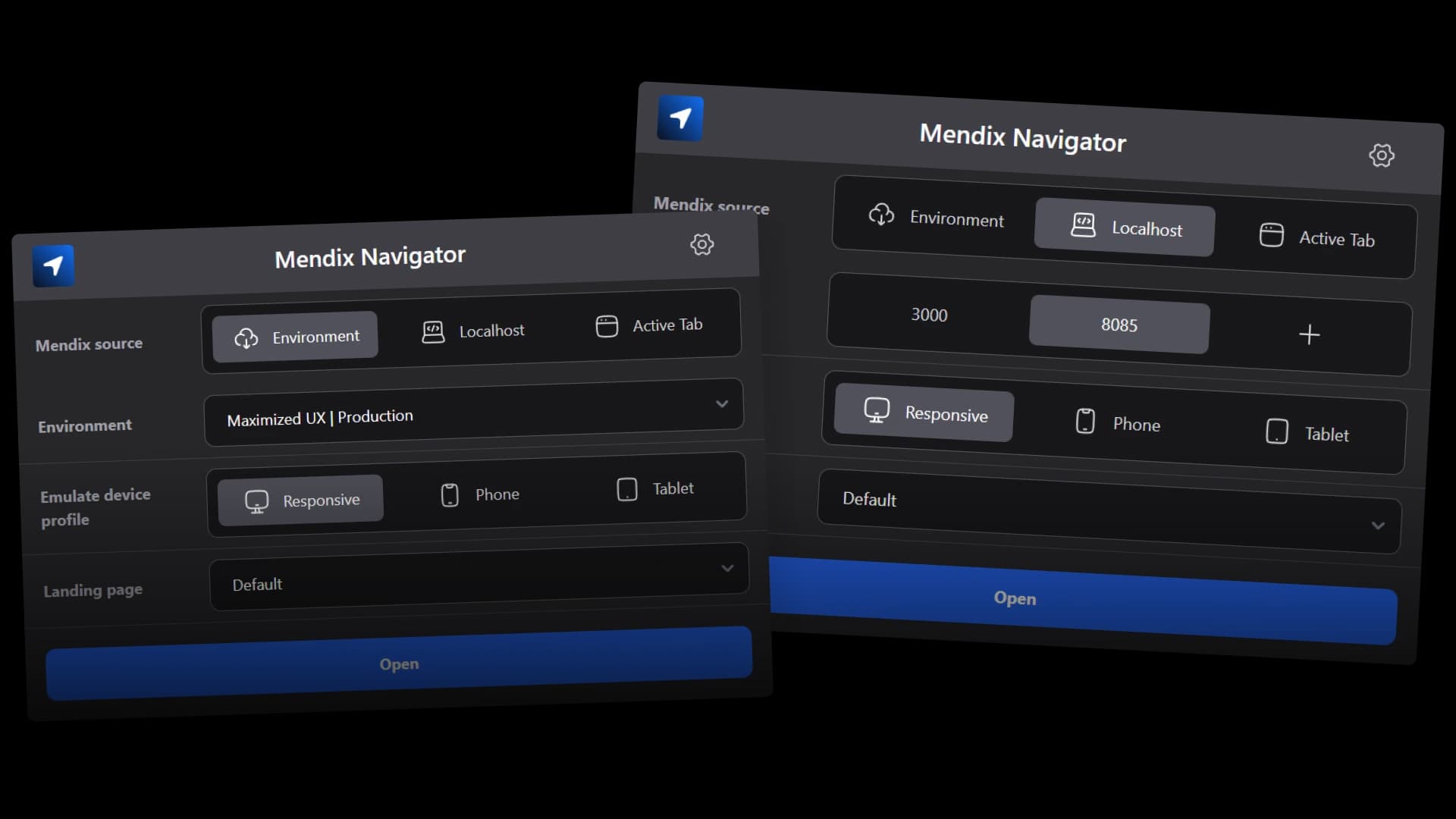
A Chrome extension born from my own experience as a Mendix developer — replacing endless bookmarks with a single, organized tool for switching between apps, environments, and landing pages.
The challenge
Imagine working on countless Mendix apps, each with its own OTAP URLs for every version — how do you keep it all manageable? As a Mendix developer, efficiently switching between diverse apps became increasingly challenging.
Countless OTAP environments
Every Mendix app has its own set of URLs for development, test, acceptance, and production. Multiply that by dozens of apps and you're drowning in bookmarks.
Bookmark overload
Maintaining a list of bookmarks for every app, environment, and variant quickly became unmanageable. Finding the right one was slower than just typing the URL.
Multiple app variants
Beyond environments, each app has variants — mobile, tablet, responsive — plus different landing pages like SSO login or deep links. The combinations explode.
The first prototype
To address this once and for all, I developed a tool that provides organized and quick access to different app versions and landing pages. The concept is simple: a list of saved apps where variables determine the specific location.
The initial version relied on URL manipulation, allowing me to adjust the port and device profile. With just one click, you can switch between different versions and landing pages — no more hunting through bookmarks.
Your environment Mendix App

Integration of Mendix environments
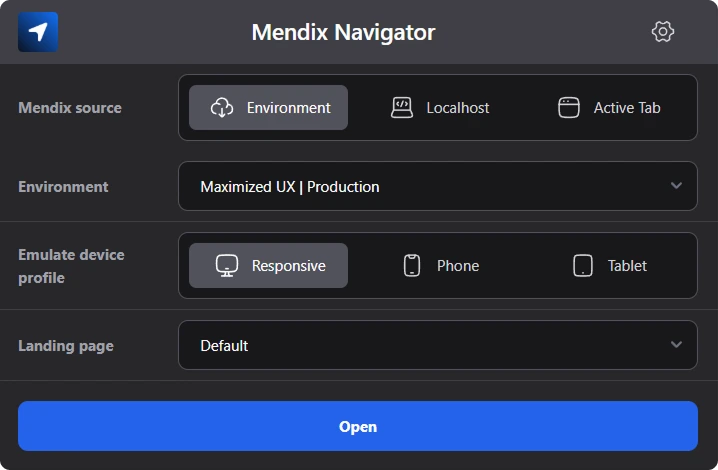
A significant breakthrough was the integration of Mendix environments. Using the Mendix API, I could directly access all relevant environments, rendering manual bookmarking obsolete.

Environment
Sandbox
Auto-detect environments
The Mendix API provides all OTAP environments automatically. No more manually copying URLs or maintaining bookmark lists.
One-click switching
Jump between sandbox, acceptance, test, and production with a single click. The extension handles the URL transformation.
Landing page customization
With the MVP working, I was eager to make it more user-friendly. Since every app is unique, some required unique landing pages that differ from the default index.html or login.html.
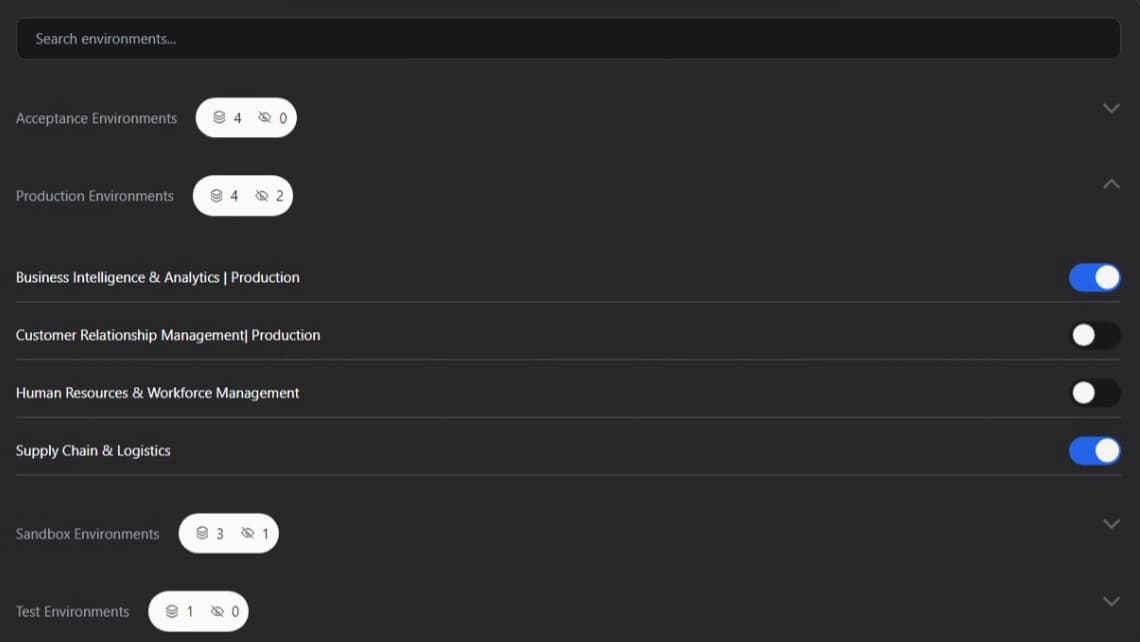
To give users more control, I added the possibility to create custom landing pages. These custom options appear in the landing page dropdown, alongside the default options. This allows users to revisit the same deep links across local, acceptance, and production — saving time on every single test cycle.
Custom landing pages
Add app-specific landing pages like SSO login or deep links. They appear in the dropdown alongside the defaults.
Consistent deep links
Revisit the same deep links across all environments. What works in local also works in acceptance and production.
Tech stack
Built as a Chrome extension with React and Tailwind — lightweight, fast, and purpose-built for the Mendix ecosystem.

React
Component-based UI for the extension popup and options page.

Tailwind CSS
Utility-first styling for a clean, compact extension UI.

Figma
Design and prototyping for the extension interface.
Results
What started as a personal tool to scratch my own itch is now a publicly available Chrome extension used by Mendix developers to speed up their daily workflow.
Published on Chrome Web Store
Available for any Mendix developer to install and use. Built from real developer pain, not hypothetical features.
Instant environment switching
What used to take multiple steps — finding the right bookmark, editing the URL — now takes a single click.
Open source on GitHub
The full source code is publicly available. Other developers can contribute, fork, or learn from the implementation.
Solo end-to-end build
Concept, design, development, Chrome Web Store listing, and ongoing maintenance — all handled by one person.